
Use case · Quoting
From site notes to a quote before dinner
You've just walked a repaint with the owner, you're back in the ute, and everything you need for the quote is in your head — for about the next hour. Say it now, and the quote is drafted before you're home.
Last updated 2026-07-11 · Reviewed by the TradieCue team
The quote you meant to write
The walkthrough went well. Three bedrooms and a hallway, walls and ceilings, owner wants low-sheen, there's some peeling around the ensuite window that needs prep. You said you'd get a quote over “in the next day or two”. That's the job, right there — and it's won or lost in what happens next.
Because the honest version of “the next day or two” is: dinner, kids, an early start, another walkthrough, and by Thursday night you're squinting at a photo of a window frame trying to remember which house it was. Slow quotes don't just cost evenings; they cost jobs. The tradie who quotes first, while the owner is still keen, wins more than the tradie who quotes best.
Say it in the ute, while it's fresh
With TradieCue, the site notes and the quote are the same act. Sit in the ute for ninety seconds and talk:
“Quote for Sarah at 14 Kelburn Street — interior repaint, three bedrooms plus the hallway, walls and ceilings, low-sheen white, two coats. Prep and patching around the ensuite window where it's peeling. Say $4,800 for the painting and $350 for the prep, plus GST. Two weeks out, weather permitting for drying.”
Quote — Interior repaint, 14 Kelburn Street
Sample note for illustration. Your draft stays fully editable, and it isn't sent to anyone until you share it.
Same flow for a deck build, a switchboard upgrade or a bathroom strip-out — mutter what you saw and what it costs, get back a structured draft. The numbers are yours: Prices come from the user and stay editable. Timmy structures the work and wording; it does not invent amounts.
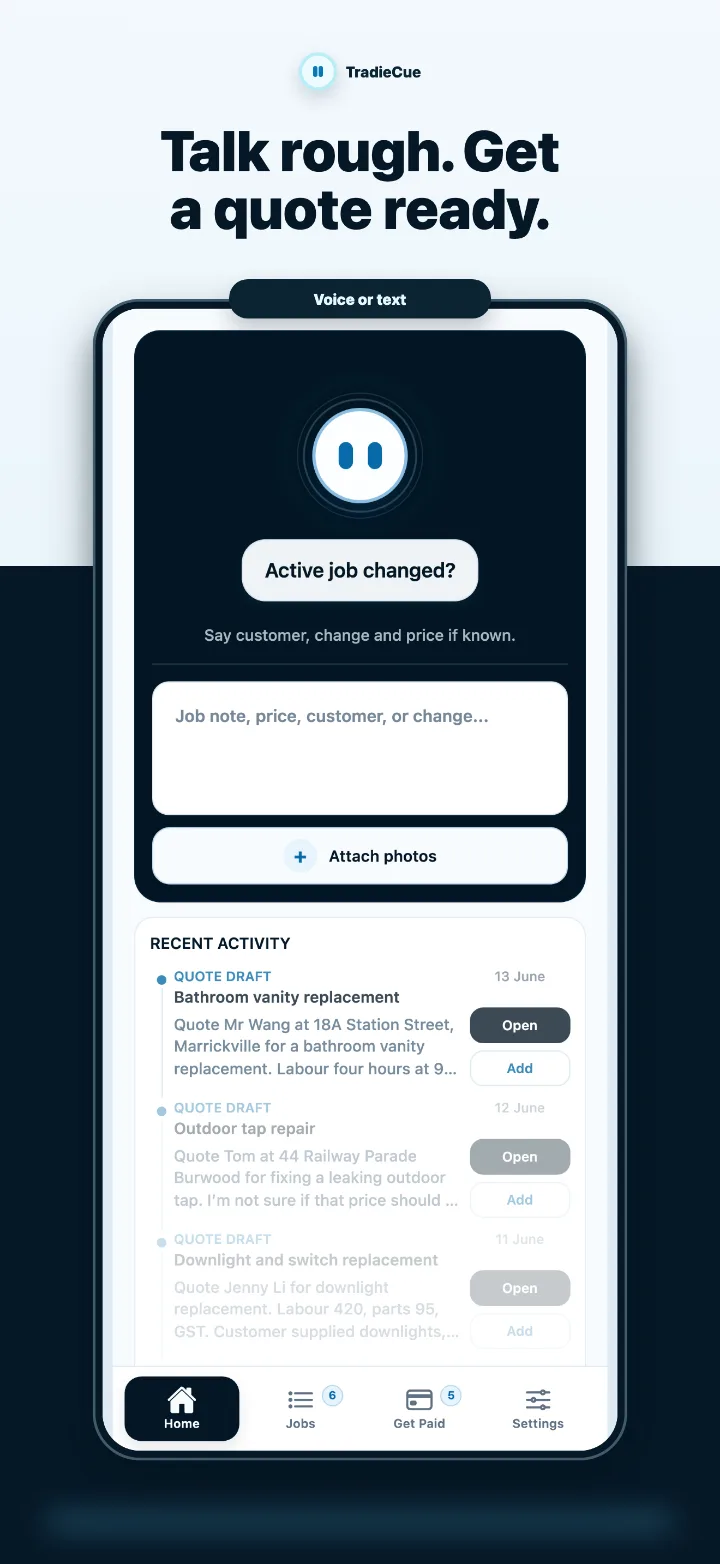
If you left something out, Timmy asks
Real ute notes have gaps. When an important detail is missing (a price, a customer, a scope item), Timmy asks rather than making it up. Typical questions on a quote note:
- “Who's the quote for?” — if you described the work but not the customer.
- “What's the price for the prep work?” — if you listed a scope item without a number.
- “Is that $4,800 including or excluding GST?” — if the note was ambiguous about it.
Answer in a sentence and the draft updates. No detail gets quietly invented to paper over a gap — a wrong guess in a quote is worse than a question.
The two-minute check before it goes out
Nothing is sent automatically. Every quote, variation and follow-up is a draft the user reviews, edits and shares themselves. The draft opens as an editable preview, and this is where your judgement earns its keep:
- Scope — is everything you saw on the walkthrough in there, and is anything you're not doing clearly excluded?
- Numbers — right amounts, right GST treatment, margins where you want them.
- Terms — validity, deposit, and anything conditional (“weather permitting” earns its place in writing).
Then share it. Sarah gets a professional quote the same evening she showed you the peeling window, while every other painter she called is still “getting back to her”. What makes a quote read professionally — structure, exclusions, terms — is covered in how to write a professional trade quote.
The manual alternative
The traditional pipeline: scribbles or phone photos on site, then an evening session with a laptop — open the old quote template, delete last customer's details, retype the scope from memory, fight the formatting, PDF it, email it. Call it 45 minutes if you remember everything, longer when you have to ring the owner back to re-ask something you knew perfectly well in the driveway.
That pipeline fails in a specific way: the notes and the quote are separated by hours or days, and detail leaks out in between. Talking the quote out in the ute closes that gap — capture and drafting happen in the same ninety seconds, and the evening job shrinks to a review. The underlying capture habit works for more than quotes; see voice notes for tradie admin and the voice-to-quote feature for the full picture.
Common questions
Does Timmy work out the price for me?
No — pricing is your job and stays that way. You say the amounts; Timmy structures the scope and wording around them, and asks if a price is missing rather than inventing one.
What if my site notes are a rambling mess?
That's the expected input. Half-sentences, backtracking, 'oh and also' — Timmy's job is to pull scope, prices and customer details out of rough talk. You fix anything it got wrong in the editable preview.
Can I type or paste notes instead of talking?
Yes. Voice is fastest in the ute, but typed and pasted notes work the same way, with optional photos attached to the job. See job notes.
How does the customer get the quote?
You share it yourself once you've reviewed the draft — nothing is sent automatically. The customer sees a clean professional quote, not your voice note.
Does this replace my accounting software?
No. TradieCue gets the quote drafted and out the door; it isn't accounting software and doesn't lodge BAS or tax.
Try it on your next job
TradieCue is free to download on the App Store. Say a rough note about a real job and review the draft Timmy produces — nothing is sent until you share it yourself.
Free to download and try. TradieCue Pro is a subscription through Apple: A$24.99/month or A$239.99/year with a 30-day free trial. Apple confirms before any charge.