
The workflow
How TradieCue works
Say it on site. Timmy drafts it. You approve it. Three steps between a muddy site conversation and paperwork you'd happily put your name on.
Last updated 2026-07-11 · Reviewed by the TradieCue team
Step 1 — Say what happened
On site, in the ute or at the kitchen table: talk to Timmy, type, or paste a message from your customer. Rough is fine. English, Chinese or a mix of both is fine. Add a photo if it helps tell the story.
You don't fill in forms. You say things like you'd say them to an offsider:
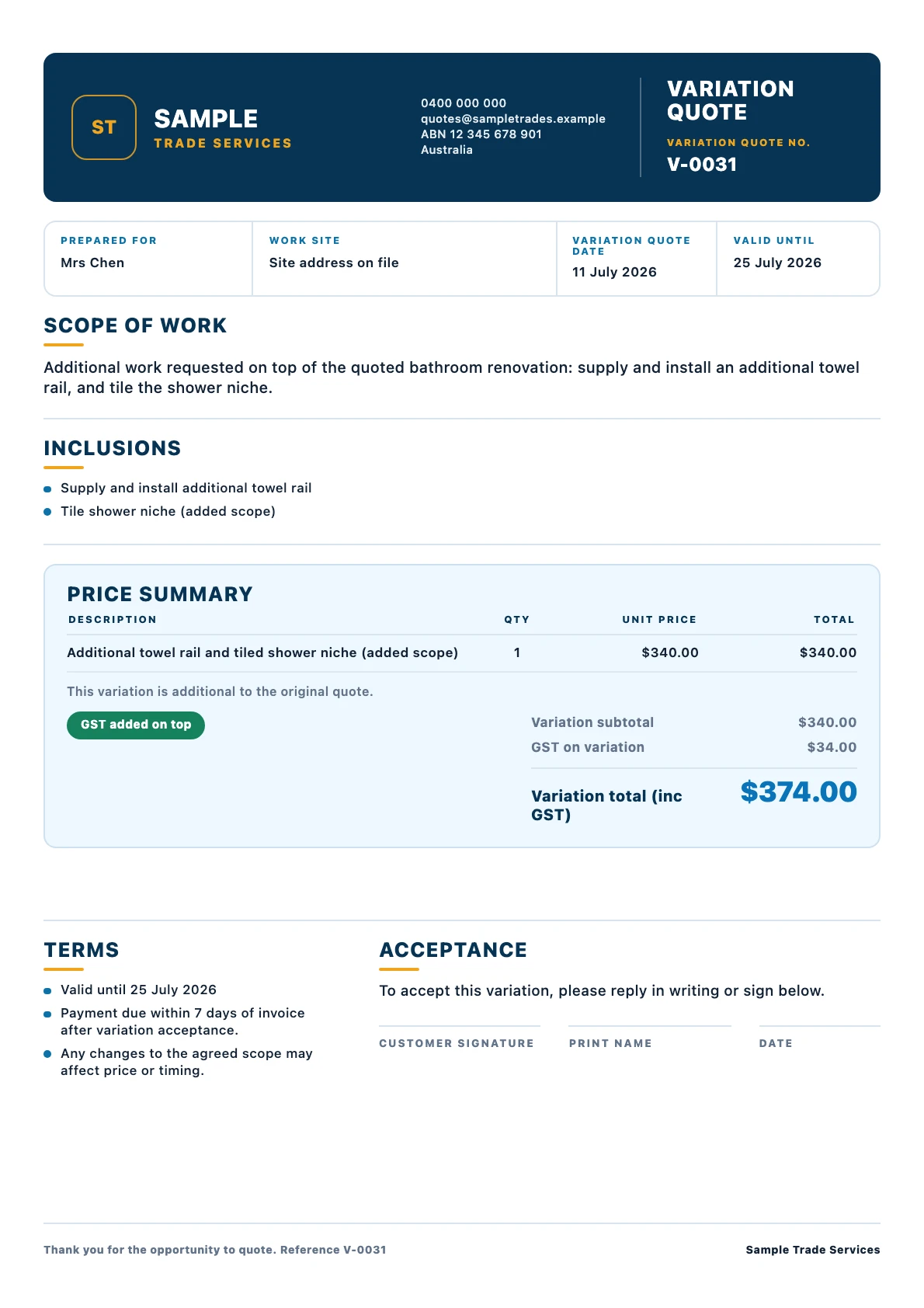
“Mrs Chen's bathroom — they want the extra towel rail and the niche tiled, that's on top of the quote. Call it $340 plus GST for both. Oh and the mixer they supplied is the wrong size, waiting on them.”
Variation — Chen bathroom renovation
Also noted on the job: customer-supplied mixer is the wrong size — waiting on customer.
Sample note for illustration. In the app, the draft stays fully editable and nothing is sent until you share it.
Step 2 — Timmy drafts it and asks about gaps
Timmy works out what kind of paperwork the note needs — a quote, a variation on an existing job, a job note or a payment follow-up — links it to the right job, and structures the scope in professional English.
Two rules hold the whole thing together:
- Prices come from the user and stay editable. Timmy structures the work and wording; it does not invent amounts.
- When an important detail is missing (a price, a customer, a scope item), Timmy asks rather than making it up. If you didn't mention a price, Timmy asks for one — it doesn't guess.
Step 3 — You review, edit and share
Every draft opens as an editable preview. Change the wording, fix a number, add an exclusion, then share it your own way — message, email or a quote link. Nothing is sent automatically. Every quote, variation and follow-up is a draft the user reviews, edits and shares themselves.
What you can hand to Timmy
| You say | Timmy drafts |
|---|---|
| A rough description of a new job, with your price | A scoped quote draft with line items and GST wording |
| “They also want…” — extra work on an existing job | A variation draft linked to that job |
| “She still owes $1,400, invoice went out two weeks ago” | A polite, firm payment follow-up draft |
| Anything worth remembering about the job | A job note attached to the right job |
| A note in Chinese, or half-Chinese half-English | The same drafts, in professional English |
Prefer to see it moving? Watch the real 43-second recording of a spoken note becoming a quote, or try the interactive demo with sample notes — no signup, no audio recorded.
Common questions
Do I have to talk, or can I type?
Both. Voice is the fast path on site, but you can type or paste anything — including a customer's message — and Timmy treats it the same way.
What happens if I forget to mention the price?
Timmy asks. The draft is created with the price left open and a follow-up question, because Timmy never invents amounts.
Can I edit the draft before sending?
Yes — every draft is an editable preview. Nothing goes to a customer until you share it yourself.
Does it work offline?
Timmy's drafting uses hosted AI, so interpreting notes needs a connection. Your job records live in the app on your phone.
Try it on your next job
TradieCue is free to download on the App Store. Say a rough note about a real job and review the draft Timmy produces — nothing is sent until you share it yourself.
Free to download and try. TradieCue Pro is a subscription through Apple: A$24.99/month or A$239.99/year with a 30-day free trial. Apple confirms before any charge.